
Remote work gets easier when the workflow is designed around clarity: what needs to be done, when it should happen, and which tasks should be delegated to tools. An AI-assisted routine can reduce context switching, keep communication crisp across time zones, and turn scattered notes into next actions. Below is a repeatable system for planning, deep work, collaboration, and personal boundaries—plus a guided eBook that organizes the approach into step-by-step templates.
Thinking with AI is less about outsourcing judgment and more about structuring work so decisions happen faster. AI can outline a plan, summarize inputs, compare options, and draft a first version—then you apply context, constraints, and professional standards.
Three high-leverage moments make AI support feel natural rather than distracting:
A practical loop replaces reactive multitasking: clarify the task → generate options → pick a direction → execute → document. Keep one “source of truth” for priorities (a daily list) and a separate space for AI outputs (drafts, summaries, scripts) so your to-do list stays clean.
Remote work succeeds when starting is frictionless. Build a dedicated work zone with consistent cues—similar lighting, a repeatable desk layout, and notifications off—so your brain associates the space with focus. Even a small setup helps if it’s consistent.
Boundaries matter just as much as gear. Define clear availability windows (fast replies) and deep work windows (delayed replies) so teammates don’t guess. Then standardize file naming and folder structure: one place for projects, one for admin, one for reference. Fewer hiding places means less searching.
Finally, set baseline security habits: a password manager, unique passwords, device lock, and careful handling of confidential data. For risk-aware guidance, the NIST AI Risk Management Framework is a strong reference point for balancing usefulness with safety.
| Work moment | What AI can do well | What still needs human judgment | Helpful output format |
|---|---|---|---|
| Before work (planning) | Turn goals into task lists, suggest timelines, draft agendas | Choose priorities, confirm constraints, align with stakeholders | Daily plan, meeting agenda, checklist |
| During work (execution) | Draft emails, summarize research, generate variations, create first drafts | Decide tone, ensure accuracy, apply context and domain knowledge | Draft message, outline, script, document section |
| After work (review) | Summarize progress, extract next steps, create status updates | Assess quality, decide what to escalate or pause, set tomorrow’s focus | End-of-day recap, status update, next-action list |
For meeting hygiene, generate an agenda beforehand and notes/decisions afterward, then store the decision log in the same project space. Research on evolving work patterns, including collaboration and attention challenges, is tracked annually in the Microsoft Work Trend Index.
Interruptions happen at home, in cafés, and while traveling. Build a capture habit: when you’re interrupted, jot the thought in one place, then return to the current task. Over time, this protects flow and prevents your day from becoming a string of half-finished starts. For practical guidance on remote norms and productivity, Harvard Business Review’s remote work coverage is a useful ongoing reference: HBR: Remote Work.
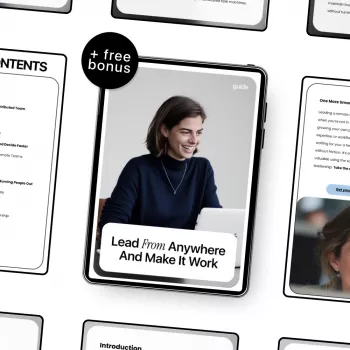
If a repeatable system is more useful than scattered tips, Work From Anywhere, Think With AI | Remote Work eBook Guide on how to use ai to work remotely effectively is designed to organize planning, communication, and execution into practical templates. It helps turn vague goals into concrete steps and supports consistent delivery whether working from home, cafés, or while traveling.
To support the “work from anywhere” reality, comfort and mobility matter too. For travel days and walking-heavy commutes between work spots, consider Nike Women’s Fuchsia Slip-On Lace-Up Sneakers. For a simple boundary cue at home—something that signals “work is done”—a cozy reset can help, like the Adorable Capybara Plush Pillow as a wind-down companion after shutting the laptop.
Start with planning (turn notes into tasks and timelines), communication (draft and polish updates), summarization (meeting notes and research), and first-draft writing. Keep final decisions, sensitive content, and anything high-stakes under human review.
AI supports async work by drafting clear updates, creating agendas that focus on decisions, and producing post-meeting summaries with owners and deadlines. A consistent update template (context, progress, blockers, next steps, decision needed) often replaces status meetings.
It can be safe if you avoid sharing confidential information in unapproved tools, keep devices locked, and follow your organization’s policies. Use secure connections, be cautious on public Wi‑Fi, and treat AI drafts as editable working notes rather than a place to store sensitive data.






Leave a comment