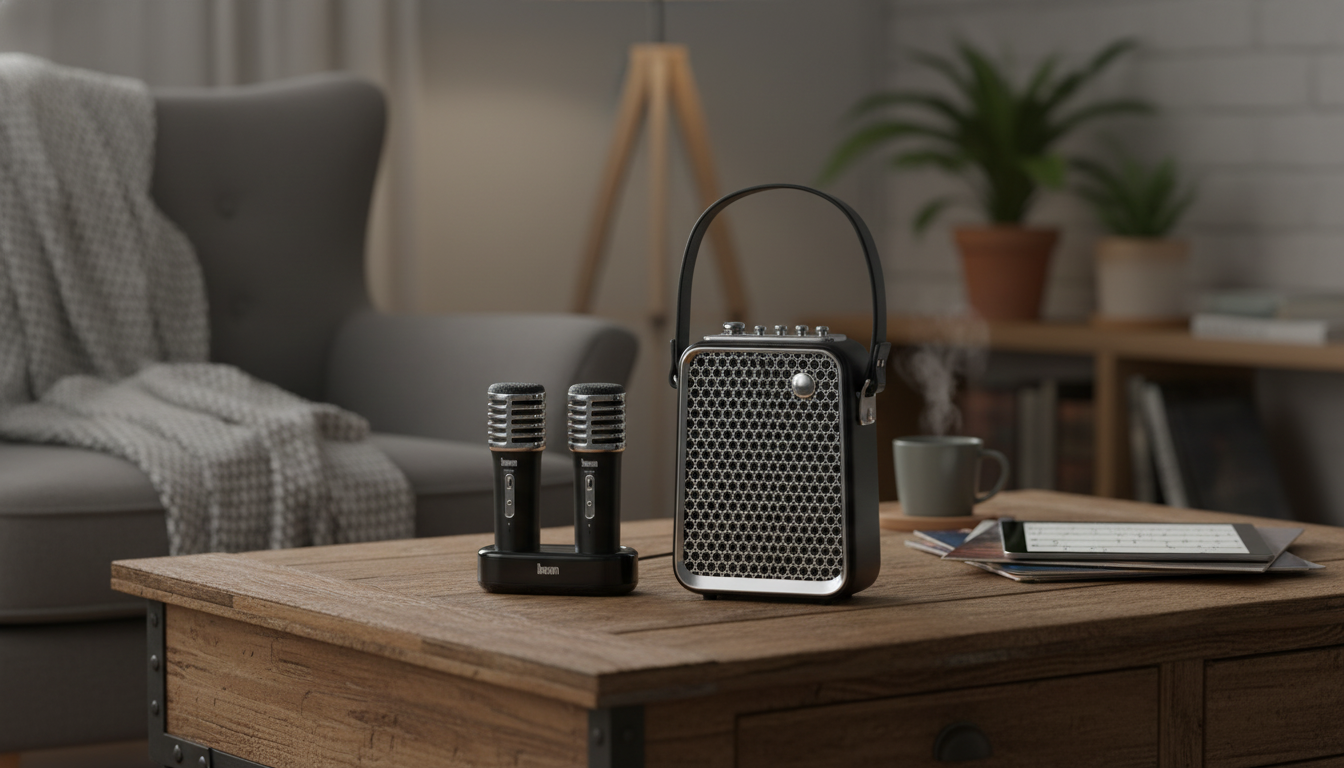
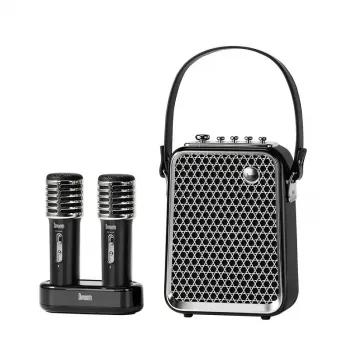
Turn any room into a mini stage with a punchy 50W karaoke setup that’s easy to connect, simple to control, and fun for all ages. This speaker-and-mic combo is built for parties, family sing-alongs, and casual performers who want bold sound, quick pairing, and playful voice effects without a complicated system.
If you’re ready to get singing fast, check out the Powerful 50W Bluetooth Karaoke Speaker with Voice-Changing Mic and keep it on standby for birthdays, game nights, or last-minute hangouts.
What Makes This Karaoke Setup Stand Out
- Confident 50W output: Designed to fill living rooms, basements, and small gathering spaces with solid volume while keeping vocals clear and forward.
- Bluetooth playback: Makes it easy to run a queue from a phone, tablet, or laptop so the “DJ” can be anyone in the room.
- Voice-changing microphone effects: Adds instant variety for kids, themed parties, and icebreaker moments when people are nervous to sing.
- All-in-one simplicity: A speaker + mic approach reduces setup time and avoids juggling extra components.
- Great fit for casual performers: Built for quick entertainment on demand—less fiddling, more singing.
Quick Setup and Pairing Flow
A smooth start prevents the most common karaoke frustrations (sudden volume spikes, unclear vocals, or feedback). Use this fast flow before guests arrive.
- Power up first: Charge or power on the speaker, then enable Bluetooth on your music device and select the speaker from the device list.
- Set a safe volume baseline: Start with the speaker volume at a moderate level, then fine-tune from your phone/tablet. This helps avoid accidental “max volume” moments.
- Check the mic with speech: Say a short phrase into the mic before you start music. If echo/reverb is available, keep it modest for clarity.
- Place the speaker smartly: Position it slightly in front of the singer rather than behind them to reduce squealing feedback and improve intelligibility.
- Run a short warm-up playlist: Test a few tracks with different styles (pop, rock, ballads) to confirm a stable connection and balanced sound.
For a deeper look at how Bluetooth connections are designed to work across devices, you can review the standards and basics at the Bluetooth Technology Website.
Sound Performance for Music and Vocals
Karaoke is all about the vocal sitting “on top” of the music. A few small adjustments can make a big difference, especially in smaller rooms where reflections and bass buildup can muddy lyrics.
- Tune for your use case: Slightly brighter settings help vocals cut through. If the room is small, reducing bass a touch often improves lyric clarity.
- Avoid corners when possible: Corner placement can exaggerate low frequencies and make the mix feel boomy.
- Fix muddiness the right way: If everything sounds congested, lower the music volume a bit and raise the mic volume instead of pushing both louder.
- Keep mic distance consistent: For duets or group singing, aim for a steady mouth-to-mic distance to avoid big jumps in volume.
- Late-night clarity trick: Lower bass first before lowering total volume—vocals tend to stay understandable even at quieter levels.
Voice-Changing Mic Effects: How to Use Them Well
Voice effects are the “party button.” Used strategically, they keep energy high without sacrificing the song itself.
Feature Checklist and At-a-Glance Details
Karaoke Speaker Checklist
| Feature |
Why it matters |
What to look for day-to-day use |
| 50W output |
Helps fill a room and keep vocals present over music |
Comfortable listening at mid-volume without distortion |
| Bluetooth playback |
Quick music control from a phone/tablet |
Stable connection within typical room range |
| Voice-changing mic |
Adds party variety beyond standard karaoke |
Effects that remain understandable when singing |
| Speaker placement flexibility |
Reduces feedback and improves clarity |
Space to place speaker in front of performers |
| Simple controls |
Keeps the focus on singing, not troubleshooting |
Easy volume and effect changes mid-song |
Best Occasions and Ways to Use It
If you’re setting up a full game-night vibe, a small, quirky tabletop accessory can add personality between songs—like the Creative Dice-Shaped Ashtray – Unique Desktop Accessory for Home or Office.
Care, Charging, and Safe Listening
- Keep vents and grills clean: Dust buildup can affect sound and airflow, especially after frequent party use.
- Charge responsibly: Use recommended power sources and avoid leaving the unit charging unattended overnight if it isn’t required.
- Protect the mic: Avoid drops and moisture; store it separately when transporting to prevent impact damage.
- Plan for comfortable listening: Skip extended high-volume sessions—take breaks and lower volume when possible. For practical hearing-safety guidance, see NIOSH — Noise and Hearing Loss Prevention.
- Troubleshoot feedback correctly: If squealing starts, lower mic volume first, increase singer-to-speaker distance, and reposition the speaker forward (also reduce echo/reverb if available).
Shop In-Stock Picks
FAQ
How loud is a 50W karaoke speaker for home use?
Perceived loudness depends on room size, placement, and the type of music, but 50W is typically plenty for living rooms and small parties. For best results, place the speaker away from corners and tune the mix so vocals stay clear.
Do voice-changing effects work while singing, or only for talking?
They work while singing as well as talking. If an effect makes lyrics harder to understand, use a lighter effect for songs and save stronger voice changes for intros, games, or between-track moments.
How can feedback (squealing) be reduced during karaoke?
Keep the speaker in front of the singer, lower the mic volume first, and avoid pointing the mic toward the speaker. Maintaining a consistent mic distance and reducing echo/reverb (if available) also helps prevent feedback.
Recommended for you




Leave a comment