HomeBlogBlogBaby Pink Retro Bluetooth Typewriter Keyboard Guide

Baby Pink Retro Bluetooth Typewriter Keyboard Guide

Baby Pink Retro Bluetooth Typewriter Keyboard Guide

Baby Pink Retro Bluetooth Typewriter Keyboard: Aesthetic Clicky Typing for Modern Devices

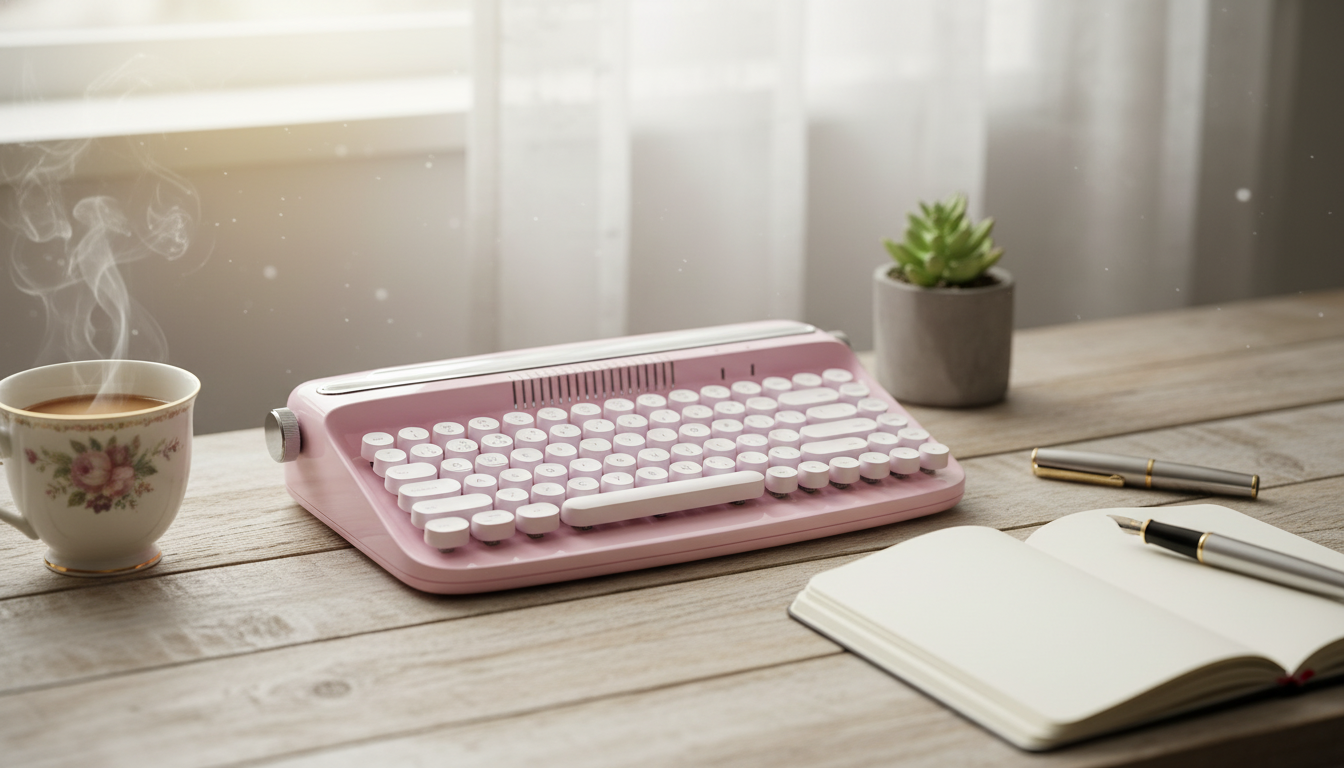
A retro typewriter-style keyboard in baby pink brings instant personality to a desk while still delivering modern convenience like Bluetooth pairing and (on many models) quick switching between devices. Whether you’re building a cozy home office, refreshing a dorm setup, or curating a photo-ready creative workspace, this style of keyboard blends nostalgia with everyday practicality. Below is what to expect from a typewriter-inspired wireless keyboard, how it can fit into real routines, and what to double-check before buying.

What Makes a Retro Typewriter Keyboard Different

Typewriter-inspired keyboards stand out for both how they look and how they feel. While each model varies, a few traits show up again and again.

  • Rounded keycaps and raised key profiles designed to echo classic typewriter styling, often with a slightly sculpted surface.
  • A more deliberate typing feel that can slow down frantic tapping and reduce accidental presses for some users.
  • A statement desk accessory that complements pastel, minimalist, or vintage-inspired setups—especially in a soft baby pink colorway.
  • Extra heft compared to ultra-slim boards, which helps the keyboard stay planted when you pick up speed.

Baby Pink Retro Bluetooth Typewriter Keyboard: Quick Snapshot

If the goal is wireless typing with a standout retro look, a baby pink typewriter keyboard is an easy focal point for a coordinated setup. It’s especially popular for home offices, dorm desks, shared family computers, and anyone who wants a workspace that looks as good as it functions.

At-a-glance details

Item Details
Product Baby Pink Retro Bluetooth Typewriter Keyboard
Price $127.80 USD
Availability In stock
Primary connection Bluetooth (device compatibility varies by model/device)
Style Retro typewriter-inspired, baby pink

Comfort, Sound, and Typing Feel

The charm of a typewriter keyboard is the tactile experience, but the same design choices that make it cute can also change how typing feels compared to a laptop keyboard.

  • Expect a short adjustment period. Rounded keys and different spacing can feel unusual for the first few days, especially if you’re used to low-profile laptop keys.
  • Sound ranges from gentle taps to true click-clack. Noise depends on the internal switch type and case construction. If you share a room (dorm, office, or family living space), it’s worth prioritizing a quieter build or setting expectations with roommates.
  • Great for writing; less ideal for complex key combos. Some typists love round keys for long-form typing, while others prefer standard keycaps for gaming-style multi-key shortcuts.
  • Stability matters for comfort. A heavier board that doesn’t slide around can reduce micro-strain from constantly repositioning your hands and wrists during long sessions.

For posture, pay attention to wrist angle. Raised key profiles can push wrists upward; adding a wrist rest and adjusting chair height can make a big difference. Practical guidance on reducing musculoskeletal strain is available from NIOSH ergonomics resources.

Bluetooth Pairing and Multi-Device Use

Bluetooth is a desk-cleaning superpower: fewer cables, fewer tangles, and easier switching between work zones. Still, the best experience comes from matching the keyboard’s capabilities to your devices.

  • Bluetooth keeps the setup visually calm. It’s ideal for minimalist desks, small study nooks, and shared tables where a permanent cable is inconvenient.
  • Multi-device switching is worth checking. If you plan to move between a laptop, tablet, and phone, confirm the keyboard supports toggling between devices (and how many it can remember).
  • Desktop PCs may need extra hardware. If your computer doesn’t have built-in Bluetooth, a Bluetooth adapter can be required.
  • Occasional lag can usually be improved. Keeping a clearer line-of-sight, reducing interference, and staying within a typical room range helps. For deeper technical background, the official Bluetooth Core Specification outlines how Bluetooth standards evolve across versions.

Where It Fits Best: Work, School, or Creative Projects

A baby pink retro keyboard isn’t only about aesthetics—it can be a practical daily driver in the right environment.

How to Choose the Right Retro Bluetooth Keyboard for Your Setup

Styling Ideas for a Coordinated Desk

Simple desk pairings

Goal Pairing idea
Clean pastel workspace Baby pink keyboard + cream desk mat + white mouse
Retro novelty vibe Typewriter-style keyboard + a quirky desktop accessory
Study-friendly setup Keyboard + tablet/laptop stand + warm task lamp

Product Link

FAQ

Will a Bluetooth typewriter-style keyboard work with a laptop or tablet?

In most cases, yes—if your laptop or tablet supports Bluetooth and your operating system recognizes external keyboards. Compatibility can vary by device and OS, and desktop computers without Bluetooth may need a Bluetooth adapter.

Are retro typewriter keyboards loud?

They can be, but it depends on the switch type and how the keyboard is built. Some models are noticeably clicky, so it’s best to choose based on whether you’ll use it in a quiet office, shared room, or late-night study space.

Is a typewriter-style keyboard comfortable for long typing sessions?

It can be comfortable after an adjustment period, especially if you like a more tactile feel. Because many typewriter-style boards have taller keys, a wrist rest and proper chair/desk height can improve posture during longer sessions.

Was this article helpful?

Yes No
Leave a comment
Top

Yay! 10% Off Just for You!

Join our community and enjoy 10% off your first order. Subscribe for exclusive deals!

Shopping cart

×