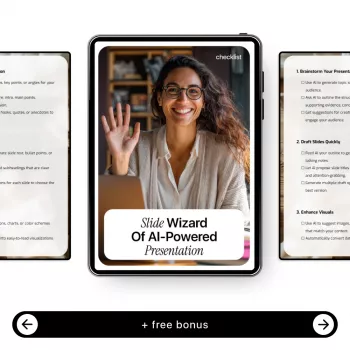
Building slides is rarely the hard part—deciding what to say, how to structure it, and how to make it clear is what consumes time. Slide Wizard of AI-Powered Presentation is a downloadable smart checklist that organizes the presentation workflow into practical steps, showing where AI tools can speed up research, writing, design, and polishing without losing accuracy or voice.
Instead of treating AI as a “make my slides” button, the checklist treats it as acceleration at specific moments—then uses human review to keep the message accurate, on-brand, and easy to follow.
Lock in the audience, the key message, the desired action, time limit, and format (live talk, async deck, handout). A tight brief prevents “beautiful but useless” slides.
Choose a clear arc: a headline, 3–5 supporting points, and a logical flow. If the flow is muddy, the design will only hide the problem for a minute.
Collect sources, quotes, stats, and examples. Flag anything that must be verified. A fast deck that can’t be trusted costs more time later.
Write titles that state the point (a takeaway), not just a topic label. Then add only the minimum text that supports that takeaway.
Apply layout rules, visual hierarchy, and consistent styling. Consider basic usability principles like readability and scanability (Nielsen Norman Group’s presentation guidance is a solid reference: https://www.nngroup.com/topic/presentations/).
Tighten wording, add cues, and remove redundant text. If it’s said out loud, it usually doesn’t need to be fully written on the slide.
Do a final pass for fact-checking, accessibility, and audience fit before exporting. Accessibility fundamentals (contrast, font size, alt text) are clearly summarized by W3C WAI: https://www.w3.org/WAI/fundamentals/.
| Checkpoint | AI can help with | Human verification |
|---|---|---|
| Clarify the brief | Generate questions to define audience, goals, and constraints | Confirm decision-maker needs, time limits, and required sections |
| Outline the narrative | Suggest structures (problem/solution, timeline, comparison, case study) | Ensure the story matches the goal and avoids missing steps |
| Research and evidence | Summarize sources and propose supporting data points | Validate facts with primary sources; cite and date-check |
| Slide copy | Draft concise titles, bullets, and speaker notes | Remove fluff, align tone, confirm claims are supported |
| Visual direction | Propose layout ideas, icon/imagery suggestions, and design rules | Check brand consistency, readability, and accessibility |
| Final polish | Rewrite for clarity, consistency, and brevity | Run a final accuracy pass and rehearsal timing |
Yes—use it as an audit. Start at the narrative and evidence checkpoints, then run the design and final quality checks to tighten clarity and consistency.
None are required. The checklist is tool-agnostic and can be used with any AI writing, research, or design assistant—or without AI at all.
Treat AI outputs as drafts. Verify facts with primary or authoritative sources, keep citations, and avoid relying on AI for numbers, quotes, or policy details without confirmation.





Leave a comment